In this article
Auditing your IT estate means taking a snapshot of what the company has — devices, software, accounts, connections — the state it is in and what is missing to work securely. For a company with more than ten workstations, a list, two or three hours and honest answers are enough. This is the checklist DataRoad uses when it takes over the management of a new estate; you can apply it yourself or ask us to do it with you.
How to use this list
It is not a technical vulnerability report. It is a document a manager reads and uses to decide where to invest. Whenever the answer is “I don't know”, write exactly that: it is the most useful information of all.
Almost every company discovers the same things: equipment nobody knows the purpose of, accounts belonging to people who have already left, and a backup that “should be working”.
Block 1 — Devices
- Inventory Desktops, laptops, servers, printers, switches, access points and firewalls, with make, model, serial number and location.
- Age Workstations and laptops more than 5 years old and servers more than 6 go into planned replacement, not emergency repair.
- Warranties What is covered by the manufacturer and until when.
- Ghost equipment What physically exists but appears on no list. There is always some.
Block 2 — Systems and licences
- Windows 10 Since October 2025 it no longer receives security updates without additional cost; read what to do about the end of Windows 10 support.
- Unsupported servers Windows Server 2012 and earlier, and 2016, whose support ends in January 2027.
- Licensing Microsoft 365, antivirus, management software: how many licences exist, how many are assigned and how many are paid for without being used.
- Unauthorised software Remote access tools, personal clouds, online converters installed by users.
Block 3 — Backups
- Scope Servers, workstations, Microsoft 365 email and files, management software databases.
- Frequency and destination How many versions are kept and where. A single copy in the same building is the same as having no copy.
- Last restore If it has never been tested, it is the first point to address.
- Alerts Who is notified when a backup fails, and whether anyone reads the warning.
Weak answers here? See how managed backup with tested restores works.
Block 4 — Accounts and access
- Active users Compare the domain and Microsoft 365 with the staff list; the differences are disabled today.
- Administrators A small, known group, on workstations, servers and Microsoft 365.
- MFA Active on every account with email and files, with no exceptions for management.
- Shared accounts The “reception account” or the “shop user”, and who knows those passwords.
- Suppliers Who gets onto the network, with what credentials, and whether they still need to.
Block 5 — Network and internet
- Diagram Even hand-drawn: rack, switches, internet entry point, Wi-Fi coverage.
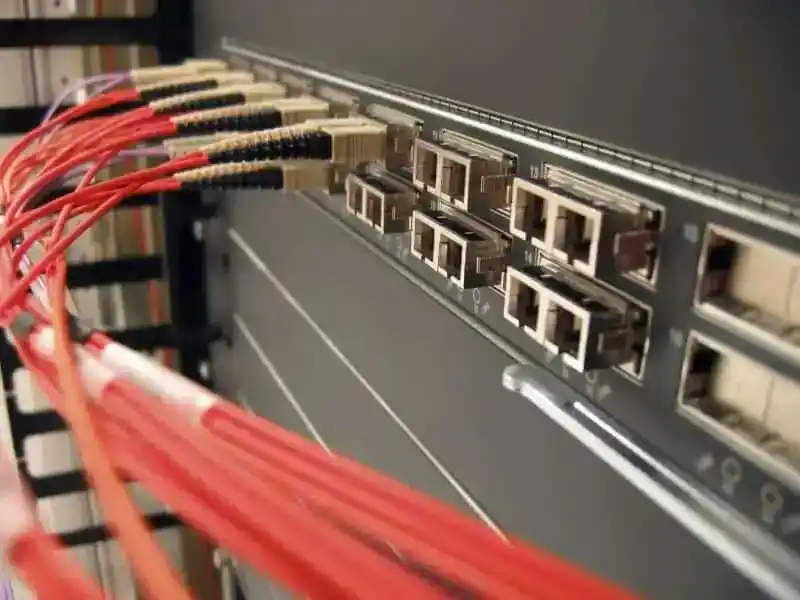
- Rack Tidy and labelled, or a tangle nobody wants to touch; this determines how long each fault lasts.
- Segmentation Visitors separated from the company network; servers, cameras and payment terminals on their own segments.
- Connection Operator, bandwidth, whether there is a second connection, and how long the company can cope without internet.
DataRoad IT Unlimited
Talk to DataRoad. We assess your operation and propose the right plan.
Block 6 — Security
- Firewall Model, update status, who manages it and when it was last reviewed.
- Workstations and servers Protection product, whether it is active on all of them and who receives alerts.
- Email Protection against phishing and altered invoices, the most common fraud in Portuguese companies.
- Incident plan If a workstation is encrypted by ransomware at 9am on a Monday, who does what in the first 30 minutes?
To go deeper, use the cybersecurity checklist for SMEs.
Block 7 — Documentation and contracts
- Administrator passwords Firewall, switches, servers and the operator's router, kept in a secure place and known to more than one person.
- Contracts Internet, licences and support: terms, lock-in periods and what is included.
- IT provider Is there a written SLA? What happens if they disappear tomorrow? See what to require in an IT contract.
Block 8 — People
- Internal contact Who looks after IT and who covers for them during holidays.
- Awareness The last phishing session; if the answer is “never”, it is the cheapest investment with the best return on the list.
- Joiners and leavers Creating and disabling accounts, collecting equipment, revoking access.
From assessment to priorities
Split the gaps into three groups. First, what could bring the company to a halt: untested backups, an unsupported server, a single internet connection. Second, what exposes it to attacks: no MFA, old accounts still active, an unmanaged firewall. Third, what costs money with no return: surplus licences and equipment being repaired instead of replaced.
The first two groups are resolved in weeks; the third pays for the rest. With ongoing estate management, the inventory stays up to date without having to repeat the exercise from scratch.
Frequently asked questions
How long does it take?
For 10 to 50 workstations, half a day on site and a report within a few days. Several offices or in-house servers may require more visits.
Do I need special tools?
Not to start with: a spreadsheet and access to the equipment are enough. Automatic inventory tools help in large estates, but they do not answer the questions about backups, access and contracts.
How often should it be repeated?
At least once a year and whenever there is a major change: new office, new management software, a merger or the departure of the person in charge of IT.
Is it the same as a security audit?
No. Penetration tests and vulnerability analysis are more technical. This checklist is the step before, without which a security audit is incomplete.
Next step: an assessment carried out with us
We visit the company, go through the list with you and deliver a report with risks and an order of resolution, with no obligation. Find out more about our IT consulting for businesses.
More than 10 workstations · support contract · remote, on-site and telephone support. Call +351 211 459 950* or write to sales@dataroad.pt.
*Call to a Portuguese landline.