
In summary
- In a clinic, stopped IT is a full waiting room. Fault tolerance is much lower than in an office.
- Health data are a special category under the GDPR — require above-normal controls.
- O clinical software conditions all decisions of infrastructure, and must be consulted before any change.
- Network-connected medical equipment needs segmentation, not to share network with the administrative posts.
In this article
A clinic is not an office with white coats. The IT requirements of a healthcare facility — even a small one — differ in three ways that change everything: tolerance for downtime, data sensitivity, and the presence of equipment that is not IT equipment yet relies on the network.
What distinguishes a clinic
In an office, a system down for an hour is a setback. In a clinic, it's a full waiting room, delayed appointments and a domino effect that drags on through the rest of the day — not to mention what it means for those waiting.
Added to this is an operational detail: the peak usage is predictable and concentrated. If the system slows down at nine in the morning, it slows down precisely when all consultations begin.
And there is the regulatory dimension. Clinical records are health data, and the GDPR treats them as a special category — with requirements above those that apply to ordinary data.
Clinical software rules
This is the rule that prevents most failed projects: infrastructure is designed around the clinical software, and not the other way around.
Clinical management, imaging and health subsystem billing systems have their own requirements, which are often rigid and not always well documented. Before deciding on servers, cloud or workstations, there are questions to ask the software vendor:
- Which configurations are effectively supported? Working is not the same as being supported.
- How does it behave with the server outside the local network?
- What requirements are there for backup and restore?
- What external connections does it require — subsystems, laboratories, portals?
Confirm in writing before migrating. Many clinical applications were designed for local networks and perform unacceptably poorly in the cloud. Finding this out after migration is expensive and forces you to roll back the operational clinic.
Network and medical equipment
A typical clinic has far more than computers on its network: imaging equipment, analysers, call systems, label printers, payment terminals and, increasingly, connected devices that no-one has classified as IT equipment.
Two principles organise this well.
Segmentation. Medical equipment on a network separate from administrative workstations and the patient network. Many of these devices run legacy systems that cannot be updated for certification reasons — isolating them is the only realistic protection.
Wireless coverage designed for the building. Concrete walls, shielded rooms and the need for access in all offices make it coverage study more important than in other contexts. And the patient network must be completely isolated from the clinical network.
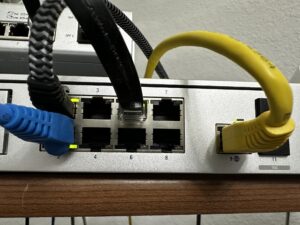
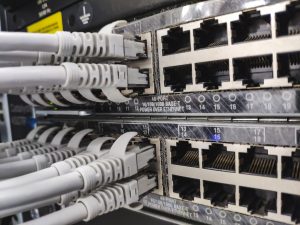
All of this is based on certified structured cabling — in a clinic, an intermittent connection in an office is not a nuisance, it is an interrupted consultation.
Health data protection
Without entering into legal territory, there are controls that any healthcare facility must have implemented:
- Nominal accounts for each professional. Shared accounts make it impossible to know who accessed what — and that traceability is required.
- Least privilege access. Not everyone needs to see all the processes.
- Access log to clinical data, kept and consultable.
- Encryption of data at rest and in transit, including laptops and backups.
- Two-step verification for remote access, without exceptions.
- Subcontracting agreements with all suppliers that may access data, including the IT supplier.
And a defined data breach procedure, with clear notification deadlines before you need to use them.
Business continuity and backups
The question to answer before sizing anything whatsoever: what happens to the clinic if the system is down for two hours on a Monday morning?
If the answer is unacceptable — and it usually is — then the infrastructure needs proper redundancy: backup power, a second internet connection from a different operator, and a recovery capability in hours rather than days.
As backups at a clinic there are also two specific requirements: an off-site or air-gapped copy that survives ransomware, and restoration tests actually carried out. An unrestored backup does not protect clinical records — it only gives the feeling that it does.
DataRoad provides IT support for clinics and healthcare facilities, with 24/7 monitoring, medical equipment segmentation and tested backups.
A chat before making a decision
Whether you’re tackling a specific problem, planning a move or simply looking for a second opinion, we always start in the same way: by understanding your situation before making any suggestions. No obligation, no jargon and no catalogues.